Surge Protectors and UPS Battery Backups for Home Offices
Surge protector or UPS? Learn what each protects against, how to read the ratings, how to connect office equipment safely and when a battery backup helps.
- By GuideTutor Editorial Team
- Published
- Last reviewed
- 5 min read
- Level
- Beginner
- Time needed
- 20–30 minutes
- Works with
- Home offices and small offices; computers, monitors, routers and printers; US-style outlets
You’ll need
- A list of the devices at your desk and the power rating on each charger or label
- The labels or manuals of any power strips you already have
- A grounded wall outlet near the desk
In short
A surge protector absorbs brief voltage spikes before they reach your equipment. A UPS (uninterruptible power supply) adds a battery that keeps devices running for a short time when the power cuts out, long enough to save work and shut down properly. This guide explains the difference, how to read the labels, what to plug where, and how to stay safe. The key tip: not every power strip is a surge protector, so check the packaging or label before relying on one.
Before you start
This guide gives general, educational information for typical US home and small-office outlets. It doesn’t replace the instructions supplied with your equipment, and it doesn’t cover electrical installation work.
Key terms
- Power strip: a set of outlets on a cord. A basic one has no surge protection.
- Surge protector: a power strip with components that absorb voltage spikes. The label states its rating.
- Joule rating: a number on a surge protector that describes how much surge energy it can absorb. Higher ratings can absorb more.
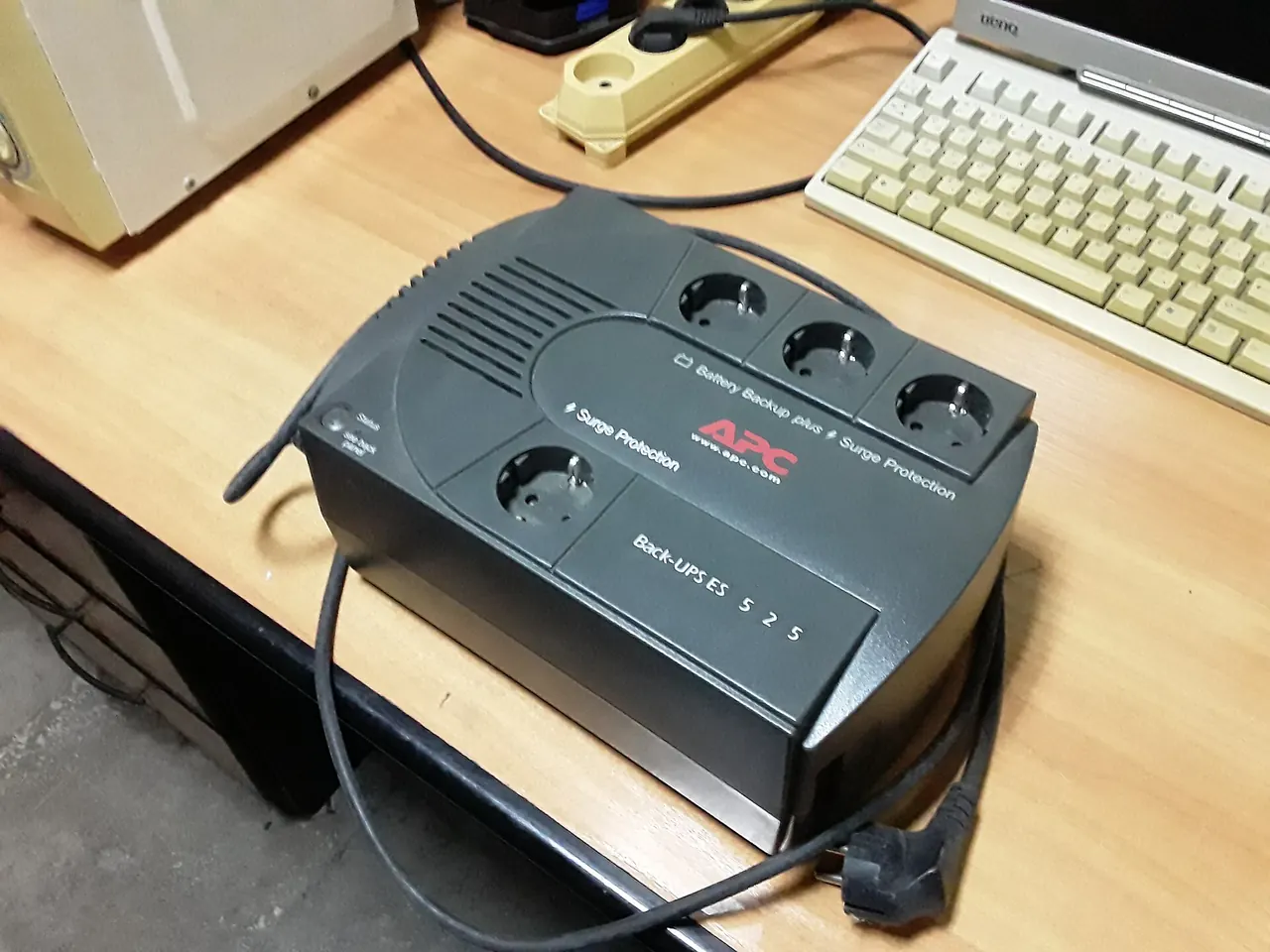
- UPS: a battery unit that supplies power during an outage and usually includes surge protection.
- VA and watts: the capacity ratings of a UPS. Your devices’ total power use must stay within the watt rating.
- Runtime: how long a UPS can power the connected devices on battery. It depends on the load.
Choose what you need
- A surge protector suits most desks: computer, monitor, lamp and chargers. Look for a label that says it’s a surge protector and is listed by a recognized safety testing laboratory, such as a UL listing.
- A UPS helps if your area has short outages or flickers, if you use a desktop computer that turns off instantly without power, or if your router going down would stop your work.
- For a UPS, add up the watts of the devices you’ll connect, using the labels on chargers or the makers’ specifications, and choose a model whose watt rating comfortably exceeds the total. The maker’s runtime chart shows roughly how long it will last at that load.
- Check the outlets: many UPS units have some outlets with battery backup and others with surge protection only. The labels on the unit show which is which.
- Compare efficiency using the ENERGY STAR UPS listings if you want a model that wastes less power.
Checkpoint: you know whether you need a surge protector, a UPS or both, and which devices go on each.
Connect equipment safely
- Plug the surge protector or UPS directly into a grounded wall outlet.
- On a UPS, connect the computer, monitor and router to the battery-backed outlets. Connect printers, especially laser printers, to surge-only outlets or a separate outlet, as most UPS makers advise, because they draw a lot of power when they start printing.
- Plug space heaters and other high-power appliances straight into the wall, never into a surge protector or UPS, and follow their makers’ instructions.
- Place the unit where air can circulate around it and where you can reach its switch, not under rugs or behind heaters.
- If the UPS has a USB or network connection, install the maker’s official software so the computer can shut down automatically during a long outage.
Checkpoint: each device powers on, and the UPS display or lights show it is on mains power and charging.
Test and maintain
- With work saved, switch off the UPS’s wall outlet or unplug the UPS to simulate an outage. The connected devices should keep running and the UPS should alarm or show it’s on battery.
- Restore power and check the UPS returns to charging.
- Check surge protectors for an indicator light showing protection is still active; some stop protecting after absorbing a large surge. Replace any unit whose protection light is off.
- Follow the UPS maker’s instructions for battery replacement; batteries wear out over time, and the unit usually warns you when one needs replacing.
- Recycle old UPS batteries through an appropriate program, as the maker describes.
Our guide to cable management shows how to place the power strip neatly and safely under a desk.
Check that it worked
Your devices should start normally from the surge protector or UPS, the protection or status lights should show normal operation, and a test outage should keep the computer and router running long enough to save and shut down. For a laptop, the battery already acts as a short backup; see our guide to laptop battery and charging.
If something goes wrong
- The UPS beeps constantly: it may be on battery, overloaded or warning about its battery. Check the display or manual for the meaning of its alerts.
- Devices turn off during a test: the UPS may be overloaded or its battery worn. Reduce the connected load, or follow the maker’s battery instructions.
- The surge protector’s protection light is off: it may no longer protect against surges. Replace it.
- The circuit breaker trips: too much is connected to one circuit. Move high-power devices to another outlet and contact an electrician if it continues.
- The power strip feels hot: unplug it and stop using it.
For product questions or faults, contact the maker through its official support site.
FAQ
Is a power strip the same as a surge protector?
No. A basic power strip only adds outlets. A surge protector includes protection components and says so on its label and packaging.
Do laptops need a UPS?
Usually not, because the laptop battery keeps it running during an outage. A UPS can still help keep your router and monitor running.
How long will a UPS keep my computer running?
It depends on the UPS capacity and how much power your devices use. The maker’s runtime chart gives an estimate for your load; many home units are designed to give time to save work and shut down.
Can a surge protector protect against lightning?
No device can protect against every possible surge, especially a direct lightning strike. Unplugging equipment during severe storms is the safest option.
Should I turn the power strip off at night?
You can, and it saves a little standby power. Leave the router and anything that needs to install updates overnight on a separate outlet if you do.
Official documentation
These links go to official help pages from software and device makers or US government agencies. GuideTutor is not affiliated with them. When their instructions differ from ours, follow theirs.